Receive and identify
Identify equipment by make, model and serial number. Configure extra fields for specific information such as operating hours.

Zafirok for your workshop
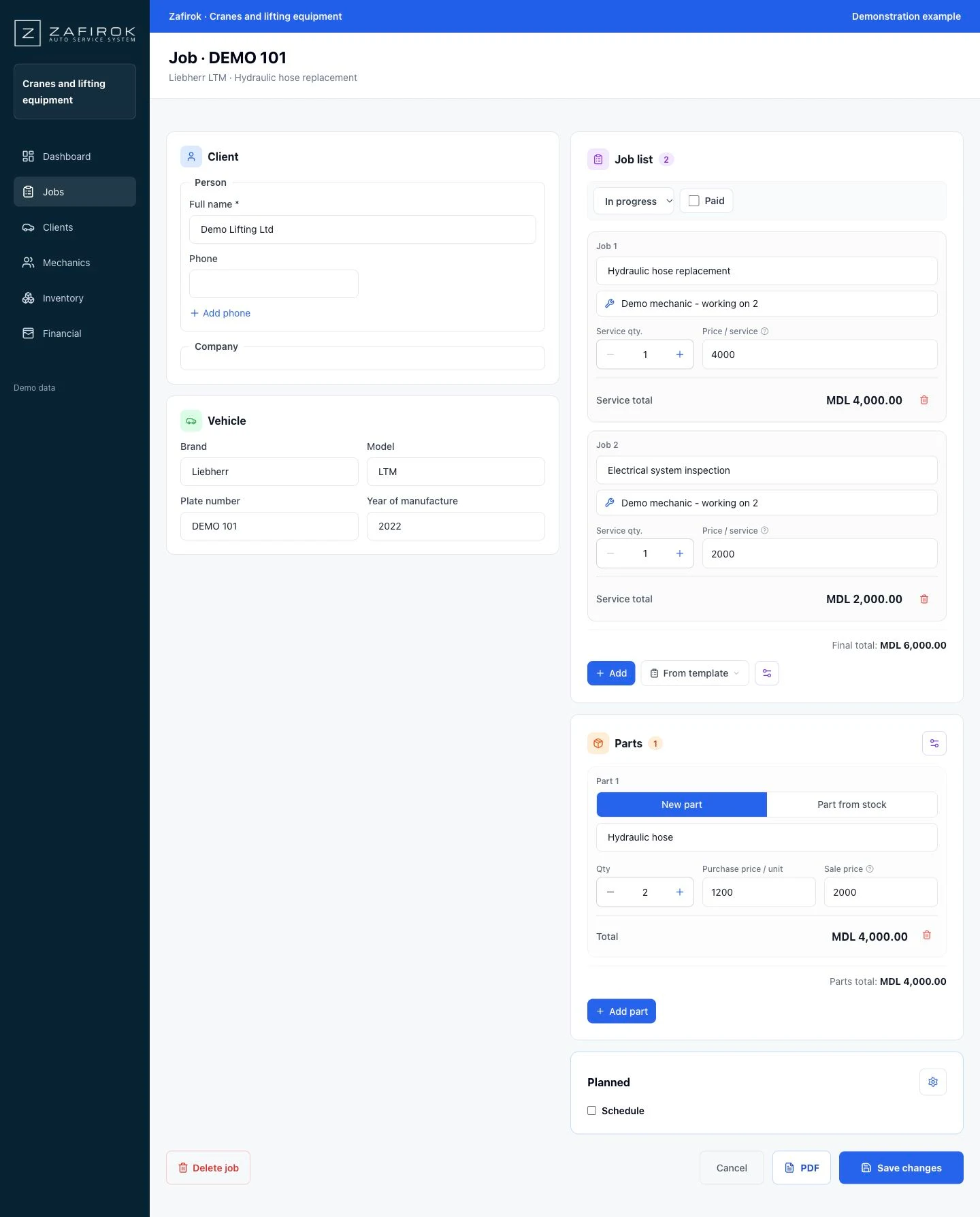
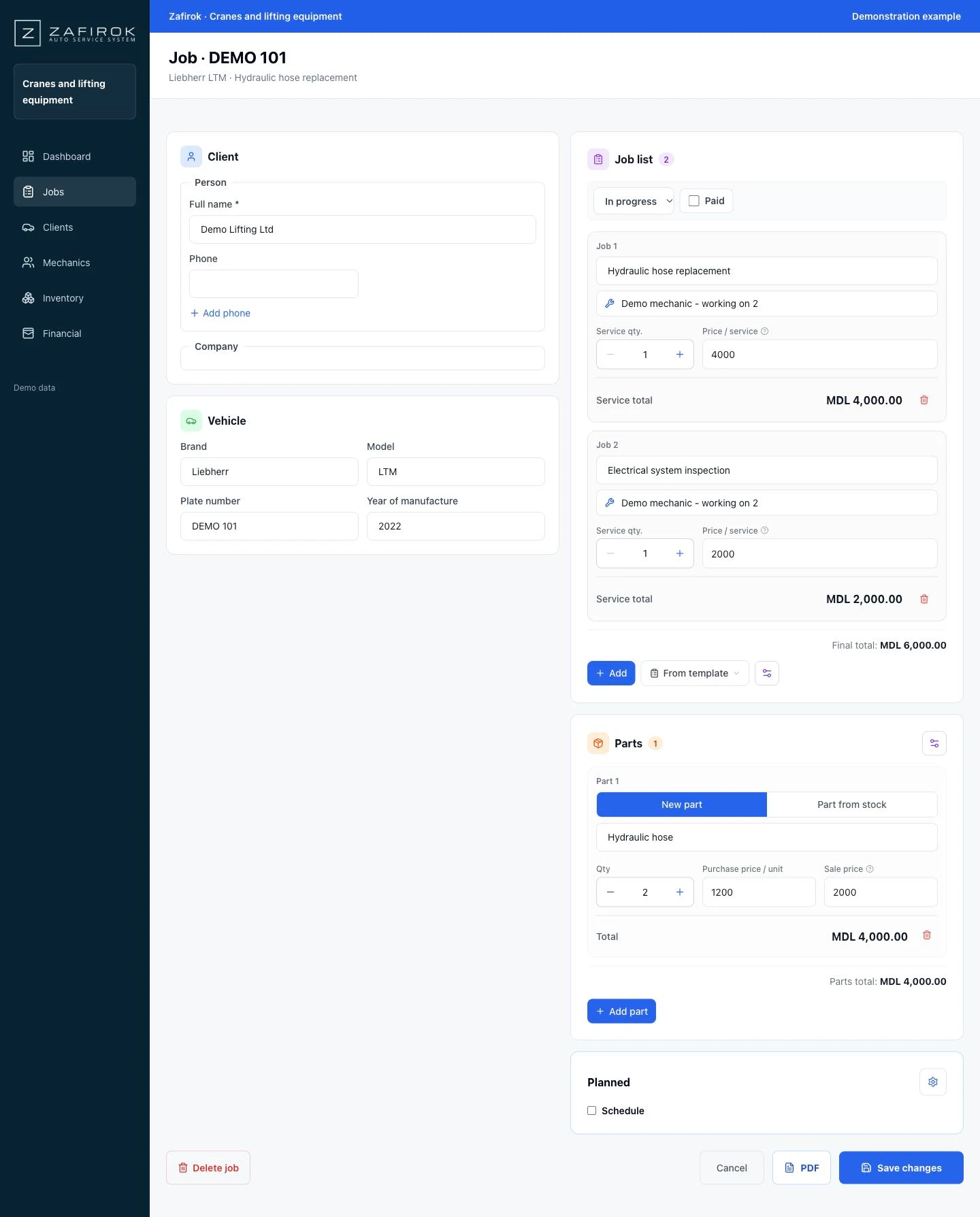
Keep a service record for each crane and organise mechanical, hydraulic and electrical operations in one job.
Mobile crane workshops, lifting equipment repairers and construction equipment maintenance teams.
A working day in your workshop
A simple path that keeps customer details, work and parts together.
Identify equipment by make, model and serial number. Configure extra fields for specific information such as operating hours.
Assign operations to hydraulic, electrical or mechanical specialists. Each sees work allowed by their role; the administrator follows the whole job.
Document servicing and equipment handover with PDF templates containing its serial number, parts and workshop warranty terms.
Your everyday tools
Identify equipment by make, model and serial number. Configure extra fields for specific information such as operating hours.
Keep individual contacts and companies, with several vehicles or machines per customer. Details for a Liebherr LTM are reused in jobs and documents.
Review replaced hoses, seals and components, along with hydraulic repairs on the same machine.
Record items such as hydraulic hose with a code, quantity, purchase price, sale price and location. Used parts are linked to the job and costs stay separate from labour.
Assign operations to hydraulic, electrical or mechanical specialists. Each sees work allowed by their role; the administrator follows the whole job.
See revenue from work such as “Hydraulic hose replacement” separately from parts sales. Track purchase costs, expenses and monthly estimated profit, then filter reports by employee and period.
Configure each employee’s remuneration: a percentage of assigned work value and/or a fixed salary. See the calculation basis and the estimate for the period.
Document servicing and equipment handover with PDF templates containing its serial number, parts and workshop warranty terms.
Import customers, equipment and stock from files, check column mapping and preview, then save. Export financial reports and inventory data to analyse your cranes and lifting equipment activity.
Screenshots with demo data adapted to this industry. Amounts are examples.
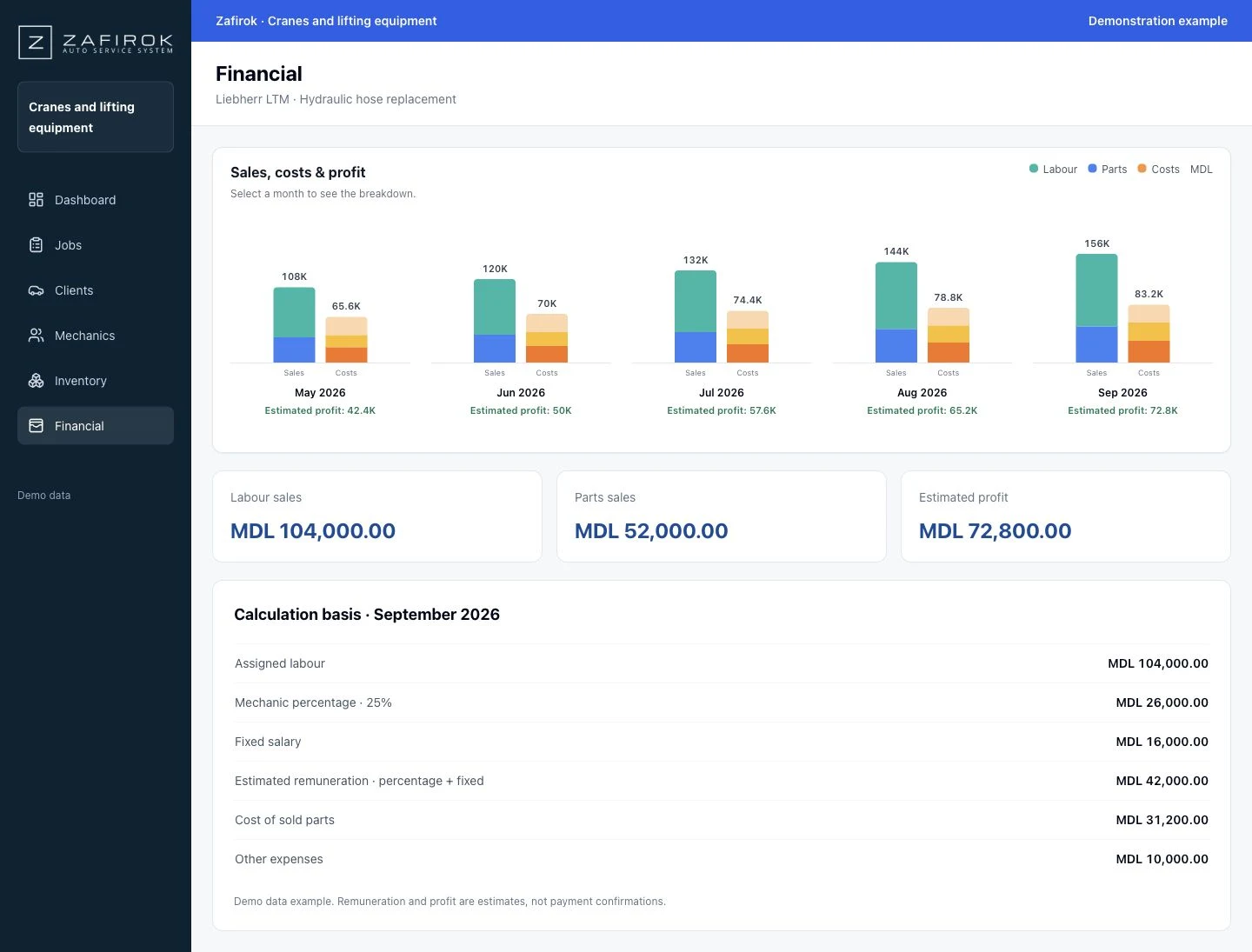
Separate labour sales from parts sales, see parts costs and estimated profit. Configure employee remuneration as a percentage of assigned work, a fixed salary or a combination.
Remuneration calculations are estimates based on jobs and employee settings.
Start simply with 2–3 mechanics. With 20–30, organise teams, assign operations and set roles and access. The administrator keeps an overview.
Document servicing and equipment handover with PDF templates containing its serial number, parts and workshop warranty terms.
Generate invoices, intake and handover documents, and warranty terms using PDF templates. Choose wording, logo, signatures and element positions.
Customer, vehicle and inventory imports include column mapping and preview before saving. Export financial reports and inventory data for your own analysis.
Yes. Start with 2–3 mechanics and keep the same workflow as your team grows to 20–30. Roles and teams help distribute responsibilities.
Yes. Configure extra fields for equipment information, hide unnecessary fields and customise PDF templates with your workshop’s wording and terms.
Parts have purchase and sale prices. The financial module separates parts and labour, while employee settings support a percentage, fixed salary or both.
Create your account, add the team and test a workflow that fits your workshop.
Independent garages, multi-brand workshops and growing teams.
Explore the solutionHeavy vehicle workshops, transport operators’ garages and fleet maintenance teams.
Explore the solutionMachinery service centres, construction businesses and specialist equipment maintenance workshops.
Explore the solutionCompact equipment workshops, rental businesses and maintenance teams.
Explore the solutionTransport operators, bus repair centres and coach workshops.
Explore the solutionMotorcycle garages, scooter workshops and two-wheel fleet maintenance teams.
Explore the solutionCustomisation shops, component installers and tuning project teams.
Explore the solutionAgricultural service centres, farms and workshops preparing equipment for the season.
Explore the solutionTyre fitters, tyre centres and wheel alignment workshops.
Explore the solutionBody repair workshops, paint shops and vehicle restoration teams.
Explore the solutionDetailing studios, car care workshops and paint protection services.
Explore the solution